Lightweight Android PDF viewer focused on fast local reading
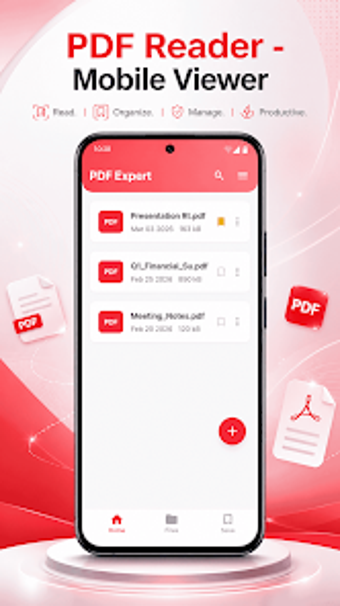
Experience a compact PDF viewer from Caller app studio, built to open and manage documents on Android devices. PDF Reader is designed for fast document access and basic file organisation, prioritizing smooth page rendering, quick search, bookmarks, and a recent files list. The app targets students, professionals, and casual readers who need dependable offline viewing and simple on-device file control without extra complexity.
What does PDF Reader do for daily document access?
PDF Reader acts as a dedicated mobile viewer that opens and displays PDFs quickly, offering page navigation and a reading-focused layout. The app includes file management tools for renaming, deleting, and organising PDFs, plus a search utility to locate documents stored on the device. These functions position it as a viewing-and-organization utility rather than an editor or converter.
Does it affect device performance during use?
The application is described as lightweight and optimised for phones and tablets, so it uses minimal storage and system resources while rendering pages. Because files are processed locally, the reader keeps background activity low and supports offline access. This behaviour suits users who need steady performance on modest hardware and who prefer reduced memory and storage footprint.
Is the app safe and easy to operate for typical users?
PDF Reader requests necessary file access and processes documents on-device, aligning with a privacy-first approach that avoids background data collection. The interface is intentionally simple, providing bookmarks and a recent-history view for quick navigation. Casual users can operate core features without advanced knowledge, while those seeking deeper document editing or annotations will not find those capabilities here.
A practical choice for focused viewers with one clear limitation
PDF Reader is a practical option for Android users who need reliable, offline document viewing and straightforward on-device file management. It serves readers who prioritise local processing and low resource use. The chief trade-off is its narrow feature set compared with full PDF editors: users who require advanced annotation or file conversion should plan on a different tool.